
Kiosk Website Pro
Kiosks
Libib offers managers the option of two types of kiosks for patron self-checkout.
Kiosk Website
A website kiosk, to be used on desktop and laptop computers with a physical barcode scanner.
Kiosk Mobile App
A mobile app for iOS and Android tablets. The app has a barcode scanner built into it.
Kiosk Web
This article discusses the kiosk website.
About
The kiosk website allows patrons to self-checkout using barcodes and a physical barcode scanner.
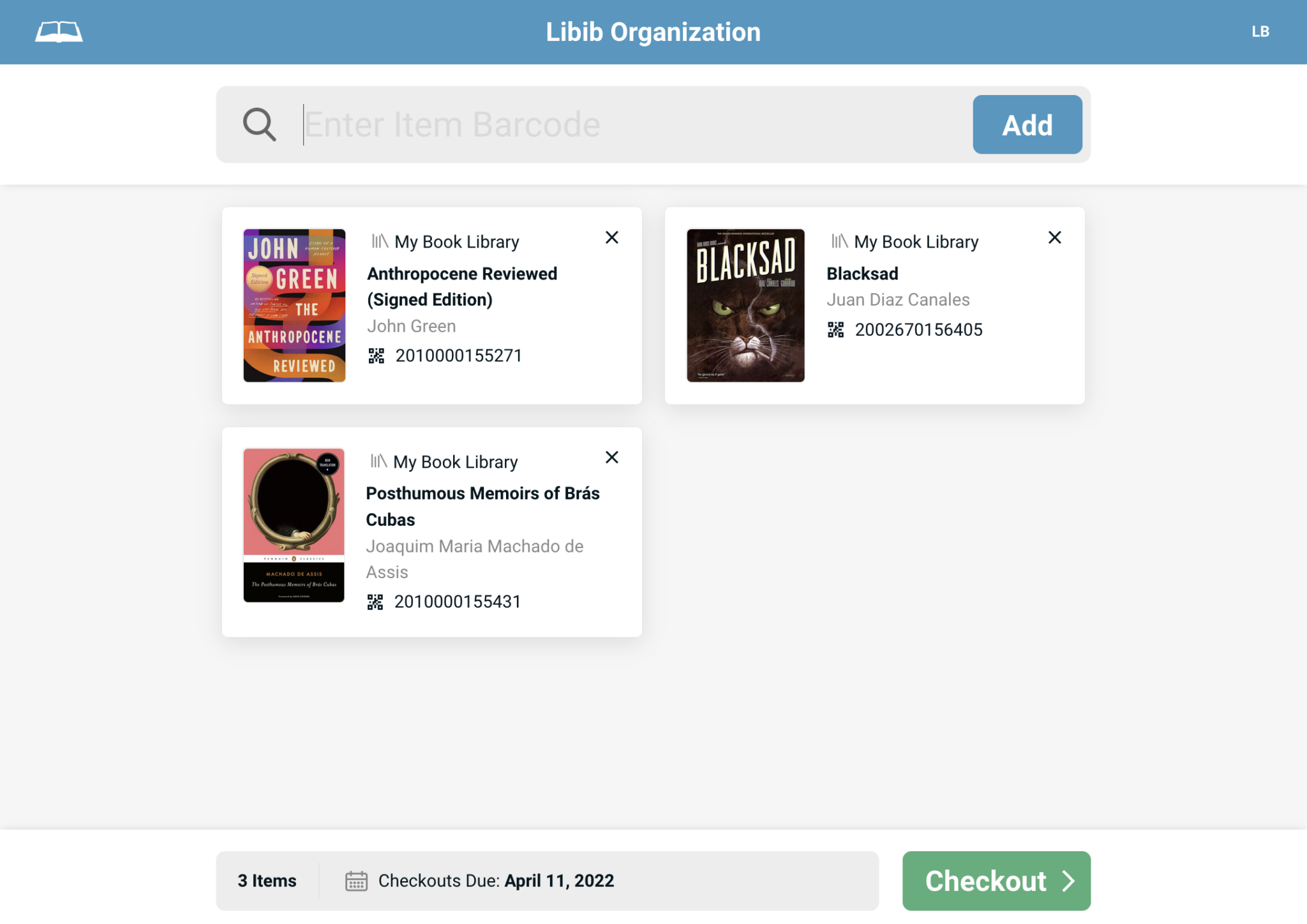
The kiosk is meant to reside in the library, where patrons can walk up and checkout items.
The kiosk requires barcodes (either ISBN/UPC or custom – which Libib automatically provides for every copy of an item). The custom barcodes can be printed out and affixed to each item to scan.
Barcodes
You can learn more about how Libib uses barcodes on our Quickstart Barcodes guide.
Setup & Settings
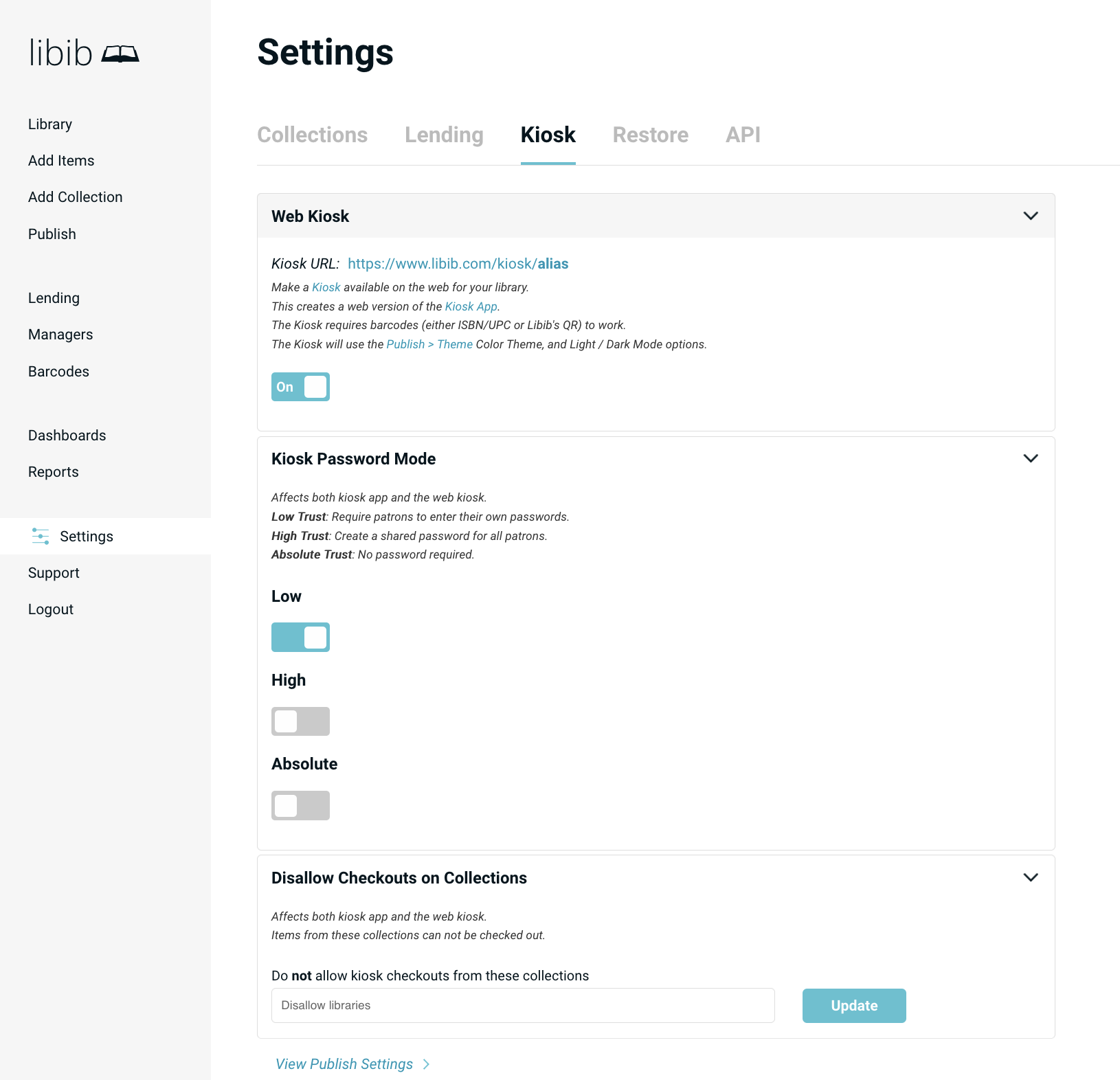
To turn on the web kiosk, navigate to: Settings > Kiosk > Web Kiosk
Publish Alias Required
Note that you must have first defined an alias in the publish section of Libib before you can turn on the kiosk. That same alias is used for the kiosk for consistency. You do not have to publish any actual collections, but you do have to define the alias.
Web Kiosk
This will create the URL for a web kiosk for your library.
Once a web kiosk is turned on, it becomes available at:https://www.libib.com/kiosk/[alias]
Kiosk Password Mode
Password mode determines the level of password security on your kiosks.
This setting affects both the web and app versions.
| Mode | Description |
|---|---|
| Low Trust | Require patrons to enter their own passwords. |
| High Trust | Create a shared password for all patrons. |
| Absolute Trust | No password required, just email or patron barcode number. We recommend that you use this setting when you are only using the Kiosk App and not the Web Kiosk, for security reasons. |
Disallow checkouts on collections
Prevents specific collections from having their items checked out. Basically creating a reference collection.
This setting affects both the web and app versions.