
Account Menu
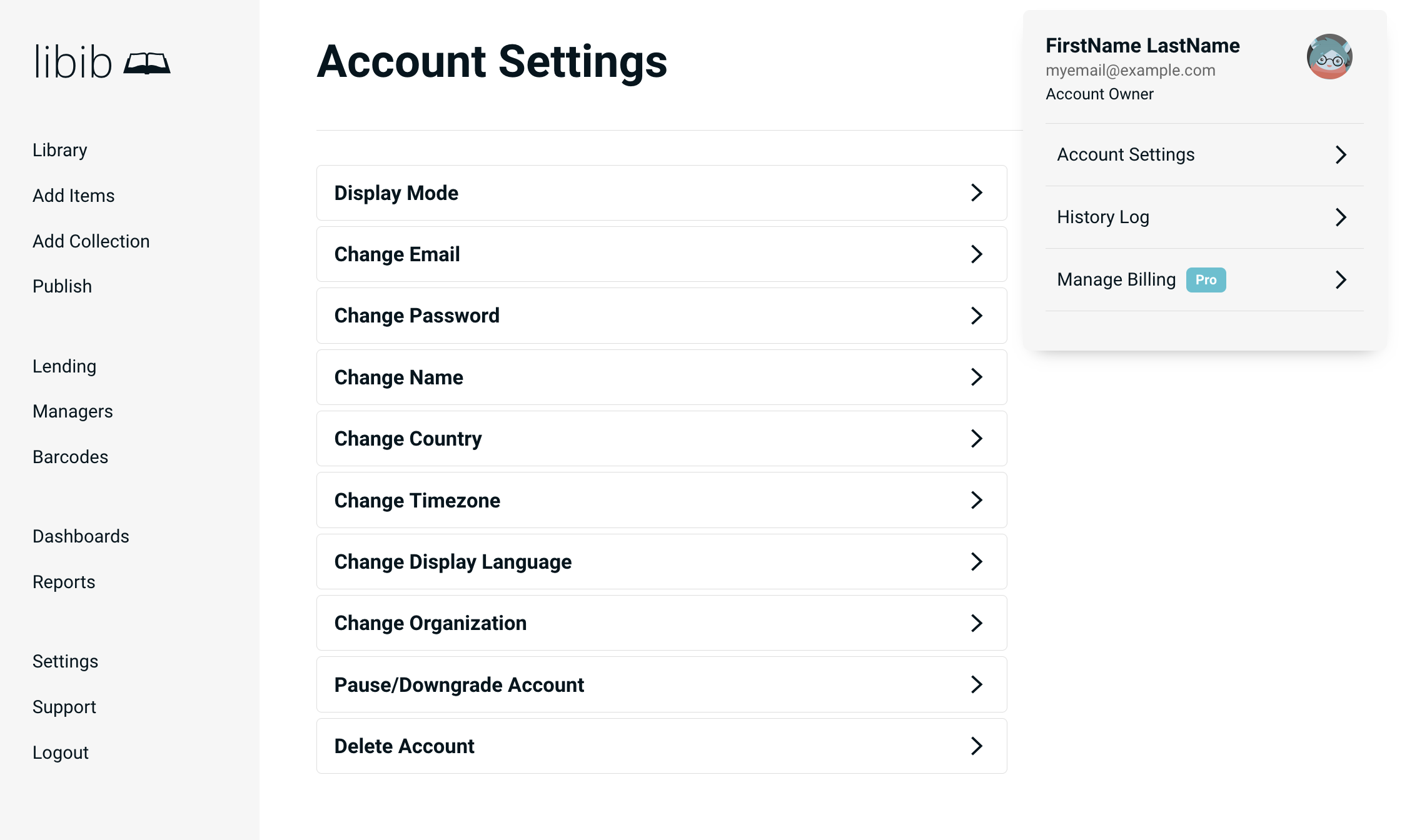
Account Settings
Display Mode
Display Mode will change the appearance of Libib to either a light or dark theme. Choose the setting you prefer. There may be additional themes added over time.
Change Email
Change Email lets you update your email address.
Gravatar
Libib uses Gravatars for your personal icons/avatars. Gravatars are profile images that are tied to your email address. On the Gravatar website you upload an image as your avatar that gets attached to your email address. Now any site that uses the Gravatar service will display that image as your icon. Many sites use Gravatars, including WordPress, StackOverflow and GitHub. If you do not have a Gravatar, they are simple, safe, and fast to create: https://gravatar.com
Change Password
Update your password.
Change Name
Update your first and last name.
Change Country
This determines which datasources Libib uses when searching for items. The sources we query are different for each country setting.
If you aren't getting good results from your country, switching to the country "All Others " is an option, as it typically has the largest database. The reason you might not want to do this is the metadata may be wrong. ex. The publisher in the UK is not always the same as the one in the US.
Change Timezone
Adjust the timezone that Libib will use for your account details. This is particularly important for storing and displaying correct lending/hold dates.
Change Display Language
Select from a list of our current translations to set the language that Libib will display when you are logged in. Currently that includes Dutch, English, French, German, Italian, Japanese, Spanish and Portuguese.
Change Organization Pro
Account owner can change the name of their organization here. If the Pro account is a single user account, we recommend using an identifiable name. The organization name is often sent out for Patron reminder emails, such as hold availability and due dates.
Pause/Downgrade Account Pro
Pause/Downgrade Account allows Pro users to pause their account. Only home library users may downgrade to the Basic version of Libib. Organizational users are required to have Libib Pro, but may pause their account if they wish to stop service for a while without deleting their account.
INFO
Pausing and downgrading occurs at the end of the current billing cycle, and will stop any future charges. If your account is past-due, this will not prevent the past-due charge from being processed.
Delete Account
Delete Account will completely remove your account from our system. All libraries, all notes, tags, etc. will be removed from our system and is unrecoverable. Deleting an account will also remove you from our newsletter mailing list within 48 hours.
WARNING
Deleting an account is permanent and cannot be undone. If you are a Pro user this also stops all future billing and detaches any managers.
Switch Profile
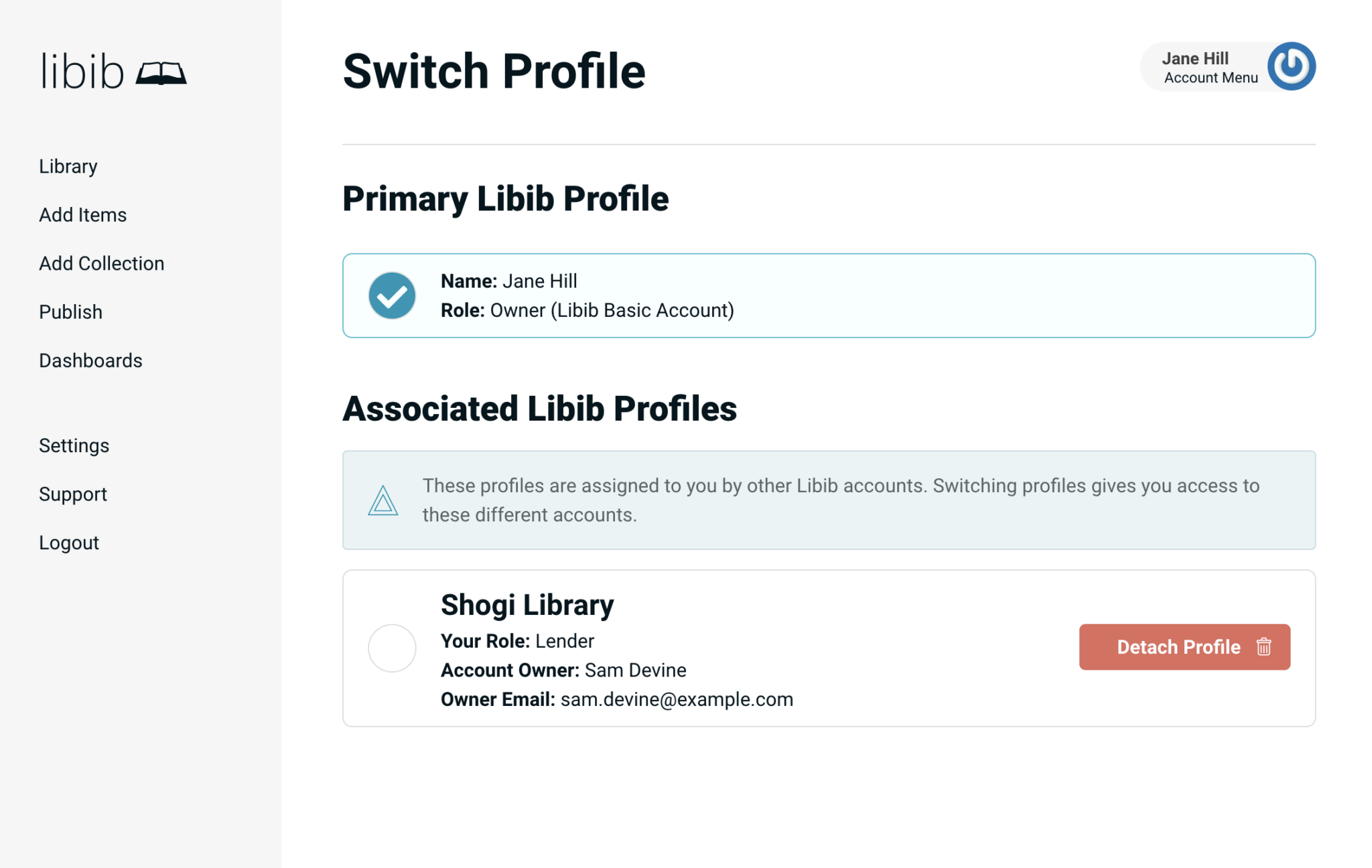
If you have been added to an existing account as a manager, you will have an option to switch between your primary personal profile and other associated account profiles.
- You have a primary personal profile that cannot be removed except by deleting your entire account
- Additional profiles represent other accounts where you have been granted manager access
- Profiles function as separate catalogs with no shared items between them
How to Switch Profiles
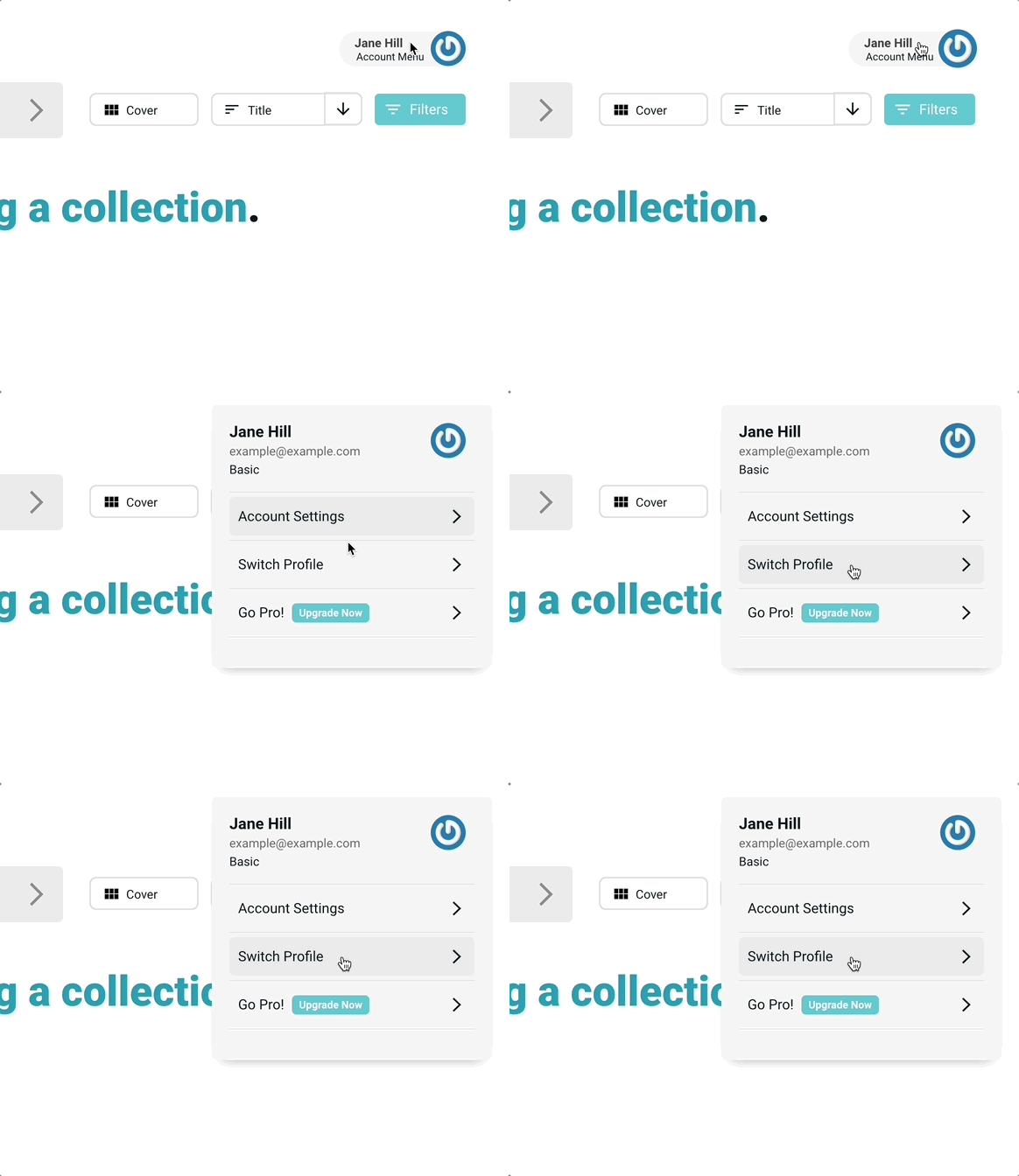
Access Account Menu > Switch Profile to toggle between your personal account and other accounts that you have been granted manager access to.
Detaching Profiles
Detaching a profile will remove you as a manager from an account. The account owner would then need to re-add you if you needed to regain access.
History Log Pro
Shows a detailed 12 month history of activity across your entire account. You can see the date, subject, and details (user, email) of specific activity that has taken place.
Manage Billing Pro
Subscription
The Subscription tab allows you to make changes to your existing subscription such as choose monthly, yearly, or adding/removing additional managers on your account.
Edit Card
The Edit Card tab allows you to update your card on file. If you successfully update your card on file it will remove the previous card and only the new card will be used moving forward. The Edit Card tab will show a preview of the active card that will be used when your subscription renews.
Billing Info
The Billing Info tab allows you to upload a tax exempt certificate, as well as update the name, address, and tax ID that is shown on your invoices. This option links off to a separate Stripe (the third-party payment processor Libib uses to handle billing) hosted page where the changes are made.
Receipts
Receipts shows the payment history. The receipts table displays date, amount (USD), last 4 digits of card used, and a link to the web receipt. The web receipt includes a downloadable PDF as well.
Cancel Subscription
If you need to cancel your subscription, navigate to: Account Menu > Account Settings > Pause/Downgrade Account
INFO
Only home users have the ability to downgrade as Libib Basic is not available to organizational users. Users who are not using Libib solely for home library usage may pause their account instead.