
Move Collections Ultimate
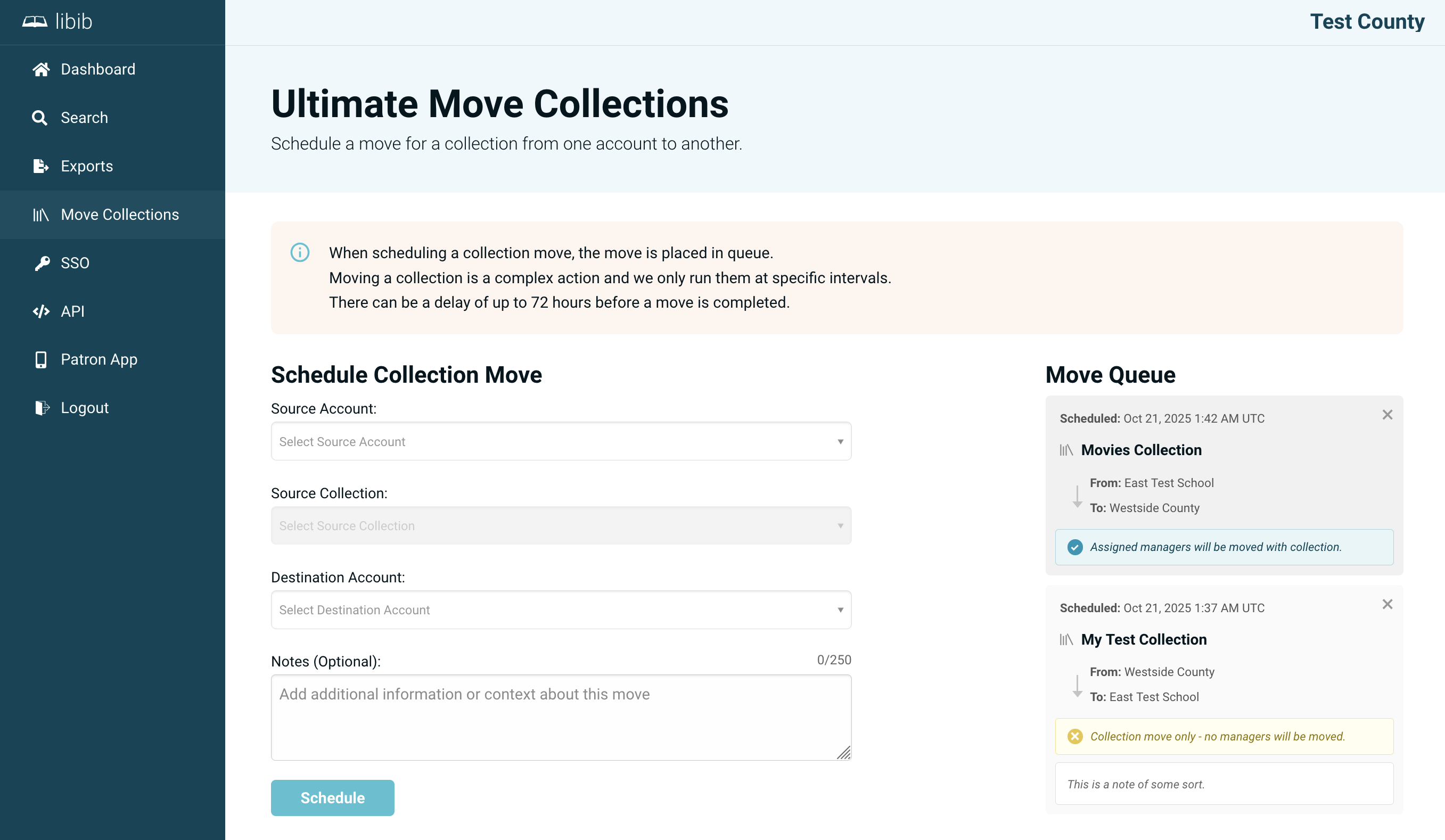
Move Collections lets you transfer a collection — along with its items — from one account in your collective to another. This is useful when reorganizing accounts, consolidating libraries, or moving a collection to a different school or department.
Requires 2 or more accounts
This feature is only available when your collective has more than one account — a collection needs another account to move to. If you only have a single account, the move option won't appear.
Scheduling Collection Move
To schedule a move, select:
- The source account (where the collection currently lives)
- The collection to move
- The destination account (where it should end up)
- Optionally, whether to move the collection's managers along with it
Once submitted, the move is added to your queue and processed by the Libib team. You'll see the request appear in the move queue on this page.
WARNING
A collection cannot be moved into the same account it already belongs to, and a collection that is already scheduled for a move must be removed from the queue before it can be rescheduled.
Move Queue
The queue shows all collections currently scheduled to move. You can remove a pending request from the queue at any time before it has been processed.
Processing Time
Collection moves are not instant. Each request is reviewed and carried out by the Libib team, so allow some time for a scheduled move to complete.